Pierce Transit Apps
Pierce Transit Partners With Token Transit
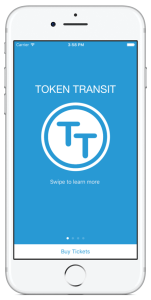
Token Transit makes passes for Pierce Transit service available right from your mobile phone. Passes are available in these popular apps:
- Transit
- Token Transit
- Google Maps App (when using an Android device).
The choice is yours! Each mobile app offers different features. Try one or try them all. Just remember, these apps are independent from one another. This means if you purchase a pass through one app, you must use that same app to activate your pass when you are ready to ride a Pierce Transit service. Passes purchased through the following apps are valid only on Pierce Transit services. They have no transfer value on other transit agencies’ services.
How To Ride Pierce Transit Using Your Phone
Download your mobile app of choice from one of the options below.





Purchase a pass to use immediately or store it for future rides (note: an internet connection is required to purchase and activate a mobile pass).
As the vehicle approaches, open your app and tap your pass to activate.
Once onboard, show the driver your activated pass on your screen.
Token Transit Google Ticketing
Pierce Transit’s mobile tickets and passes are available in the Google Maps App for Android device users, without downloading a separate app.
It’s quick and easy!